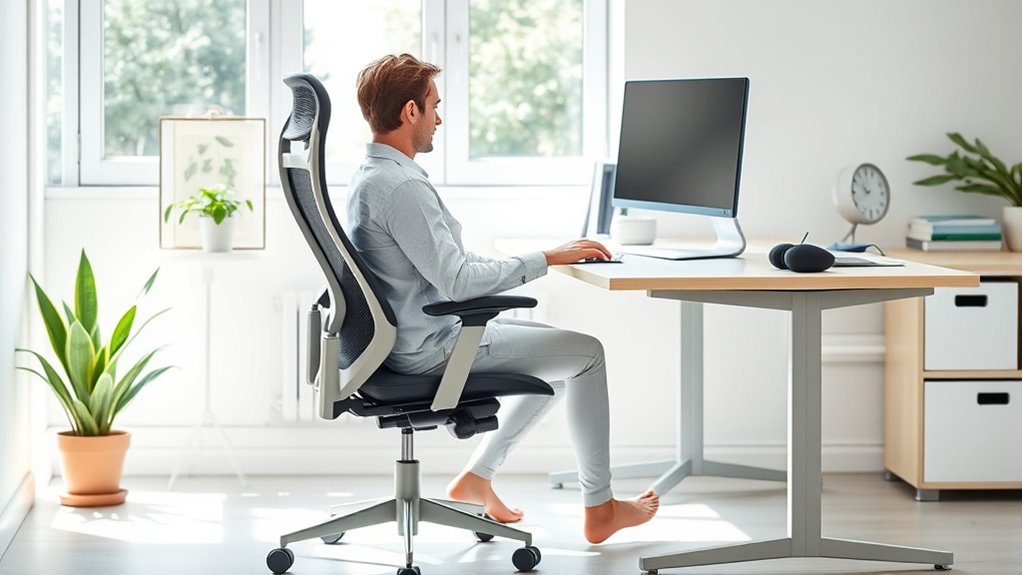

To prevent injury at home, set up your workspace ergonomically by using an adjustable desk or standing desk to switch positions and reduce strain. Make certain your monitor is eye level, your keyboard and mouse are comfortable, and your chair supports your lower back. Keep your feet flat and elbows close to your sides. Incorporate small adjustments, take regular breaks, and explore ergonomic accessories for added comfort. Keep going to discover how to optimize your workspace even further.
Key Takeaways
- Use an adjustable standing desk to alternate between sitting and standing, reducing strain and promoting movement.
- Position monitors at eye level and use ergonomic accessories like keyboard and mouse to prevent wrist and neck discomfort.
- Maintain proper posture: feet flat on the ground, knees at 90 degrees, and elbows close to the body.
- Incorporate footrests, wrist rests, and regular breaks to support natural body alignment and prevent static postures.
- Regularly change positions and stretch to enhance blood flow, reduce fatigue, and promote long-term ergonomic health.
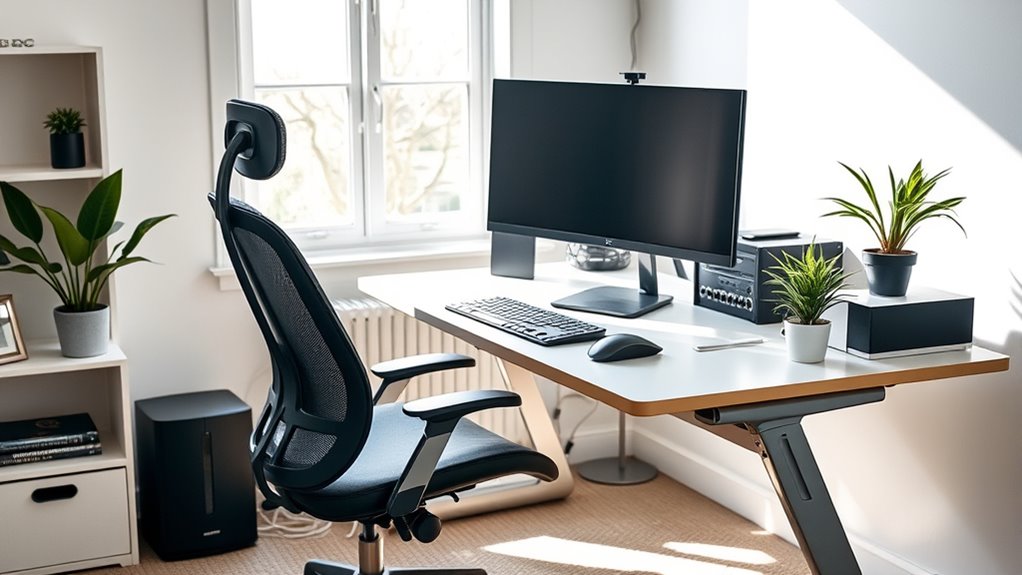
Are you making the most of your home workspace? If you spend hours at your desk, it’s essential to prioritize ergonomics to prevent discomfort and injury. One of the most effective ways to do this is by investing in standing desks. These desks allow you to alternate between sitting and standing, reducing the strain on your lower back, neck, and shoulders. Switching positions helps keep your muscles active and blood flowing, which can boost your energy and focus throughout the day. When choosing a standing desk, look for adjustable models that let you customize the height for your comfort. This flexibility ensures you maintain proper posture whether you’re sitting or standing, preventing unnecessary strain.
Alongside a standing desk, ergonomic accessories can significantly improve your workspace. An ergonomic keyboard and mouse, for instance, keep your wrists in a natural position, minimizing the risk of repetitive strain injuries like carpal tunnel syndrome. An adjustable monitor stand or arm helps position your screen at eye level, so you don’t have to crane your neck or hunch over. Proper monitor placement is crucial for reducing eye and neck strain, especially during long work sessions. Additionally, a supportive chair with adjustable lumbar support ensures your lower back remains well-aligned, which is vital for maintaining good posture over extended periods. Incorporating ergonomic principles into your setup can further optimize comfort and health.
Creating an ergonomic setup isn’t just about the furniture; it’s about how you use it. Ensure your feet are flat on the ground or on a footrest, and your knees are at a 90-degree angle. Keep your elbows close to your body, with your wrists straight when typing or using the mouse. Regularly adjusting your position and taking short breaks to stretch can make a big difference. Incorporate ergonomic accessories like wrist rests or footrests to enhance comfort further. These small adjustments cumulatively prevent strain and reduce your risk of developing chronic pain.

Jump Rope, Tangle-Free Rapid Speed Jumping Rope Cable with Ball Bearings for Women, Men and Kids, Adjustable Foam Handles Steel Jump Ropes for Fitness
Durable & Adjustable Rope / / This jump rope is made of steel wires that are coated with...
As an affiliate, we earn on qualifying purchases.
Frequently Asked Questions
How Often Should I Take Breaks During Remote Work?
You should take a break every 30 to 60 minutes during remote work. Use this time for stretching routines to prevent stiffness and boost circulation. Incorporate mental health tips like deep breathing or quick mindfulness exercises to reduce stress. Regular breaks help maintain focus, prevent fatigue, and support overall well-being, making your workday more productive and comfortable. Remember, consistent short breaks are key to avoiding strain and enhancing your health.
What Are the Best Ergonomic Tools for Small Home Spaces?
Think of your workspace like a sleek time machine—you want it efficient and space-saving. Compact furniture, like fold-away desks, and multi-functional accessories, such as a chair with built-in storage, are your best bets. These tools help maximize limited space while maintaining good posture. Choose adjustable items to customize your setup, ensuring comfort and reducing strain. With the right ergonomic tools, your small home office becomes a productive, injury-free zone.
How Can I Prevent Eye Strain While Working Remotely?
To prevent eye strain while working remotely, you should wear blue light glasses to reduce screen glare and fatigue. Adjust your ambient lighting so it’s soft and evenly distributed, avoiding harsh overhead lights or bright windows directly behind your screen. Take regular breaks following the 20-20-20 rule—look at something 20 feet away for 20 seconds. These steps help protect your eyes and make your workspace more comfortable.
Are There Specific Exercises to Reduce Remote Work-Related Pain?
Did you know that regular stretching routines can reduce discomfort by up to 30%? You should incorporate simple posture exercises and stretches into your day, like neck rolls and shoulder shrugs, to alleviate remote work-related pain. These exercises help improve circulation, reduce muscle tension, and promote better posture. Make it a habit to do them every hour to stay comfortable and prevent long-term injury.
How Do I Assess My Home Workspace for Safety and Comfort?
You should start by examining your desk setup, ensuring your monitor is at eye level and your chair supports your lower back. Adjust lighting to reduce glare and eye strain, opting for natural light or soft, adjustable lamps. Check that your keyboard and mouse are within easy reach, and your feet rest flat on the floor. Regularly take breaks to stretch and reassess your workspace for ongoing comfort and safety.
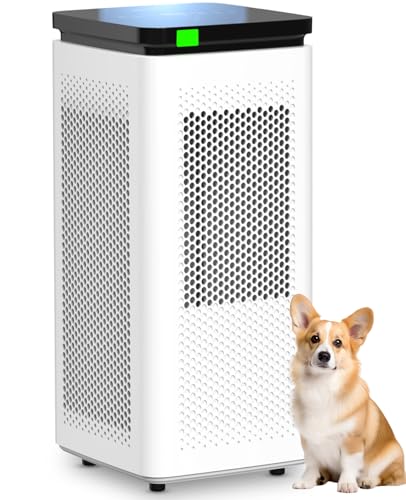
Air Purifiers for Home Large Rooms up to 3500 Ft², H13 True HEPA 0.1 Micron 99.97% Filtration with Carbon Filter, 235 CFM CADR, Removes Allergens, Pet Odor, Smoke, VOCs, 30dB Sleep Mode, PM2.5 Display
H13 True HEPA + Carbon Filter – Removes Allergens, Odors & Smoke: Equipped with H13 True HEPA (0.1μm,...
As an affiliate, we earn on qualifying purchases.
Conclusion
By setting up your workspace ergonomically, you substantially reduce the risk of injury and boost your productivity. Did you know that poor ergonomics can cause musculoskeletal disorders in up to 60% of remote workers? Investing a little effort now can prevent long-term health issues and keep you comfortable and focused. Remember, your health is worth it—creating an ergonomic space is one of the best ways to protect yourself while working from home.

Levoit Air Purifiers for Home Large Room Up to 2933 Ft² With HEPA Sleep Mode, AHAM VERIFIDE, Smart WIFI, PM2.5 Monitor, 3-in-1 Filter For Smoke, Pet Allergies, Dust, Alexa Control, Core 600S-P, White
𝐖𝐇𝐘 𝐂𝐇𝐎𝐎𝐒𝐄 𝐀𝐇𝐀𝐌 𝐕𝐄𝐑𝐈𝐅𝐈𝐃𝐄 𝐀𝐈𝐑 𝐏𝐔𝐑𝐈𝐅𝐈𝐄𝐑𝐒: AHAM (Association of Home Appliance Manufacturers) is an ANSI-accredited organization that sets...
As an affiliate, we earn on qualifying purchases.

LEVOIT Air Purifiers for Home Large Room Up to 1875 Ft² with Washable Pre-Filter, AHAM VERIFIDE, Air Quality Monitor, HEPA Sleep Mode for Allergies, Pet Hair in Bedroom, Vital 200S-P, White
𝐖𝐇𝐘 𝐂𝐇𝐎𝐎𝐒𝐄 𝐀𝐇𝐀𝐌 𝐕𝐄𝐑𝐈𝐅𝐈𝐃𝐄 𝐏𝐑𝐎𝐃𝐔𝐂𝐓𝐒: AHAM (Association of Home Appliance Manufacturers) is an ANSI-accredited organization that sets strict...
As an affiliate, we earn on qualifying purchases.