
TL;DR
A powerful local workflow turns one uploaded video into a full publishing kit—descriptions, social posts, media assets—without needing cloud services. It saves time, boosts privacy, and puts you in control of every asset.
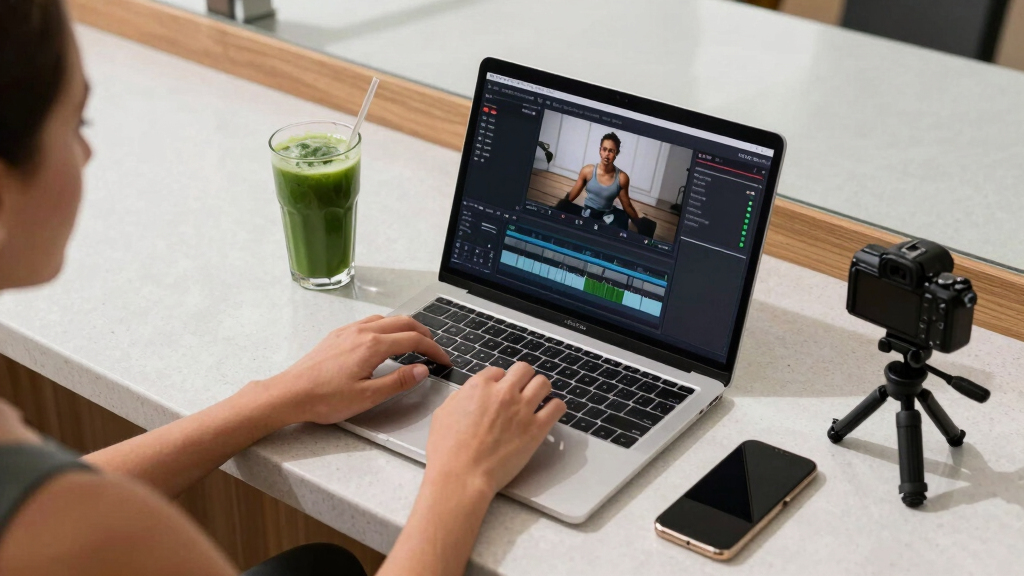
Imagine turning a single video into a full suite of marketing and publishing assets—descriptions, social posts, thumbnails, even blog drafts—without uploading your raw content to the cloud. Sounds like a dream, right? It’s now possible with tools designed to work offline, giving you full control and privacy. This approach isn’t just about saving time; it’s about reclaiming ownership of your content, avoiding recurring cloud costs, and simplifying your workflow.
In this article, I’ll show you how a local workflow can handle everything from transcription to asset generation. You’ll learn what gets created, how it works, and why doing it offline matters. Whether you’re an indie creator or a marketer managing multiple channels, this strategy can streamline your entire publishing process.
Key Takeaways
- A local, AI-powered workflow can generate a complete publishing kit from a single video—saving hours and boosting privacy.
- You get detailed assets like descriptions, social clips, thumbnails, and media kits, all editable and reviewable before publishing.
- Working offline means you control your raw files, avoid recurring cloud costs, and keep your content private.
- The system analyzes speech, visuals, and on-screen text in layers, making the drafts more accurate and context-aware.
- While setup requires some tech know-how, the benefits of full control and privacy are well worth it.
![WavePad Audio Editing Software - Professional Audio and Music Editor for Anyone [Download]](https://m.media-amazon.com/images/I/B1fcLEGCs6S._SL500_.png)
WavePad Audio Editing Software – Professional Audio and Music Editor for Anyone [Download]
Full-featured professional audio and music editor that lets you record and edit music, voice and other audio recordings
As an affiliate, we earn on qualifying purchases.
As an affiliate, we earn on qualifying purchases.
What exactly does a local video workflow produce?
When you drop a video into this system, it outputs a full package of assets—descriptions, social posts, thumbnails, and more. For example, from a 10-minute YouTube video, you can get:
- A detailed description with chapters and hashtags
- Multiple title options scored by relevance
- Short clips with captions for TikTok, Reels, Shorts
- A media kit with high- and low-res images, a sell sheet, and a one-sheet
- Blog drafts and newsletter snippets
All these come from analyzing the video’s speech, visuals, and on-screen text. The process is designed to produce drafts that you can review, tweak, and approve—saving hours of manual repackaging.


The Complete Autodesk Maya 2027 Handbook: Step-by-Step Guide to 3D Animation, Game Asset Creation, Rendering, and Realistic Visual Production (The Complete Developer Series)
As an affiliate, we earn on qualifying purchases.
As an affiliate, we earn on qualifying purchases.
How does this local system actually work?
The core of this workflow is a four-layer AI analysis—done entirely offline. First, it transcribes speech with speaker separation and timestamps. Next, it detects scene changes, reads on-screen text, and describes visuals. Then, it fuses these streams into a synchronized log, aligning spoken words with visual cues. Finally, it extracts topics, hooks, and retention points to guide asset creation.
Understanding why this layered analysis matters is crucial. Each layer adds a different dimension of understanding—transcripts provide the spoken content, scene detection helps identify key moments, and visual descriptions capture the essence of what’s on screen. Combining these layers creates a rich context that results in more accurate and relevant assets. The tradeoff, however, is the computational demand—processing these layers requires a powerful machine. But the benefit is that all of this happens locally, ensuring your raw footage remains private and your workflow is not dependent on internet connectivity. This approach emphasizes quality and privacy over convenience, which is vital for sensitive or proprietary content.

privacy-focused video publishing kit
As an affiliate, we earn on qualifying purchases.
As an affiliate, we earn on qualifying purchases.
The four steps from input to published assets
- Ingest: Drop your video file or paste a link. The system automatically detects the channel and starts analyzing.
- Understand: Background workers transcribe, analyze visuals, and fuse data into a structured scene log.
- Review: You see drafted assets—titles, descriptions, clips—in the Studio interface. You can edit, regenerate, or approve each one.
- Publish: Once approved, assets are dispatched to your platforms—YouTube, social media, blogs—ready to go.
This quick loop means you don’t have to wait for the whole pipeline to finish before starting your review. The system shows progress at every layer, giving you control and transparency at every step. This iterative process allows you to catch errors early, refine drafts, and ensure the final assets align perfectly with your intent. The tradeoff is that, because everything is happening locally, you need to be comfortable with managing the setup and monitoring the process, which can be more involved than cloud solutions but ultimately more rewarding in terms of control and security.


How to Use Descript Software for Beginners: A Step-by-Step Guide to Editing Audio & Video with AI-Driven Tools
As an affiliate, we earn on qualifying purchases.
As an affiliate, we earn on qualifying purchases.
What’s included in a complete publishing package?
The main output is a comprehensive ‘Publishing Package’—everything you need to publish, promote, and market your video. For example, a YouTube package might include:
| Asset Type | Details |
|---|---|
| Titles | Multiple options scored by relevance and character count |
| Description | Full description with chapters, hashtags, and optimized keywords |
| Thumbnails | Concepts pulled from key moments, ready for editing |
| Clips | Vertical videos with auto-captions for TikTok/Reels |
| Blog Drafts | Summaries and article ideas based on the video content |
| Social Posts | Platform-specific posts and threads for Twitter, Instagram, etc. |
This package is designed to be flexible—editable, reviewable, and ready to publish across all your channels from one workflow. The depth of this package matters because it allows creators to maintain consistency and quality across multiple platforms without starting from scratch each time. Having a rich set of assets also reduces the time spent on manual edits and ensures that the messaging is aligned with the content’s core themes. The tradeoff is that some assets may still require human refinement, especially creative elements like thumbnails or catchy headlines, to truly resonate with your audience.

Why doing this offline really matters
Removing reliance on the cloud isn’t just about privacy—it’s about control. When your assets process locally, you keep your raw files under your own roof. No third-party servers hold your footage, captions, or metadata. Plus, you avoid recurring costs, slow internet uploads, and potential privacy breaches.
Imagine you’re working on a sensitive product launch or exclusive content. You don’t want your video data floating around on cloud servers. With a local workflow, all analysis and asset generation happen on your machine—fast, secure, and private. This setup also means you’re less vulnerable to outages or service disruptions that could delay your publishing schedule. The implication is a more resilient and trustworthy process, especially critical for high-stakes or confidential content. The tradeoff, however, is that you need to be comfortable managing the technical setup and ensuring your hardware is capable of handling the processing load. Still, for many creators, the peace of mind and full control outweigh these challenges.

Who benefits most from this offline workflow?
This approach is perfect for self-published authors, indie creators, and small marketing teams. If you regularly produce content for multiple platforms, this tool consolidates your workflow. It’s also ideal for those concerned about privacy, cloud costs, or slow uploads.
For instance, an author launching a new book can generate media kits, social posts, and promotional clips—entirely offline, with everything stored on their local device. This not only speeds up their marketing cycle but also ensures that sensitive content stays protected. The ability to work offline reduces dependency on internet quality, which is especially valuable in remote or bandwidth-limited environments. The tradeoff is that users need to invest some time in learning the system and maintaining their local setup, but the payoff is a more secure, private, and streamlined workflow.

What are the limitations and tradeoffs?
While this system is powerful, it’s not perfect. Some assets may still need human refinement—especially creative touches like thumbnails or headline phrasing. The analysis quality depends on your video content and the AI’s current capabilities. Complex visuals or niche topics might produce less precise drafts.
Another tradeoff: setting it up requires technical know-how. And it’s a local system, so it demands a decent machine with enough processing power. This means a learning curve for new users who are unfamiliar with AI tools or local machine setup. Additionally, because all processing happens on your hardware, any hardware failure or performance bottleneck can impact your workflow. However, these tradeoffs are often outweighed by the advantages of increased privacy, control, and reduced recurring costs. For creators willing to invest the time to learn and set up the system, the long-term benefits of independence and security make it a compelling choice.

How does this compare with cloud-based AI tools?
Cloud tools offer convenience—processing on remote servers, often with more powerful AI. But they come with recurring costs, privacy concerns, and dependence on internet speed. In contrast, a local workflow processes everything offline, giving you control, privacy, and potentially faster turnaround times.
For example, cloud services might produce quick drafts, but at the expense of uploading raw footage and trusting third-party servers. This can introduce delays, security risks, and ongoing subscription fees. Local systems like ChannelHelm, however, keep all data on your machine, reducing these risks. The tradeoff is that local processing may require more initial setup and hardware investment, but it grants you complete ownership of your assets and data. This makes the local approach especially appealing for creators handling sensitive content or operating in environments where privacy and control are paramount.
Frequently Asked Questions
What exactly does ‘one video in’ generate?
It produces a full set of assets including titles, descriptions, social clips, thumbnails, blog drafts, and media kits—everything needed to publish and promote your video across multiple platforms.
Does it really work offline?
Yes. The system is designed to analyze and generate assets entirely on your local machine, so no upload to the cloud is required. This keeps your raw footage private and your workflow fast and independent of internet speed.
What formats are supported?
It supports common publishing formats like MP4 and MOV for videos, PDF and EPUB for e-books, JPEG and PNG for images, and standard media-kit assets like one-sheets. All assets are customizable after generation.
How much editing do I need to do?
The system creates solid drafts, but most users will tweak titles, descriptions, or visuals to match their voice. It significantly cuts down manual work but doesn’t replace human touch entirely.
Who is this best suited for?
Indie creators, self-published authors, small marketing teams, and anyone wanting full control over their content without relying on cloud services will find this workflow invaluable.
Conclusion
Turning one video into a full publishing kit without relying on the cloud isn’t just a tech novelty—it’s a game-changer for creators who value control and efficiency. The key is the layered, offline analysis that produces ready-to-use assets you can tweak and publish at will.
Think of it as your personal publishing factory—fast, private, and completely in your hands. If you’re tired of juggling multiple tools and cloud costs, this approach offers a clear path forward. Your content, your rules, all on your machine.