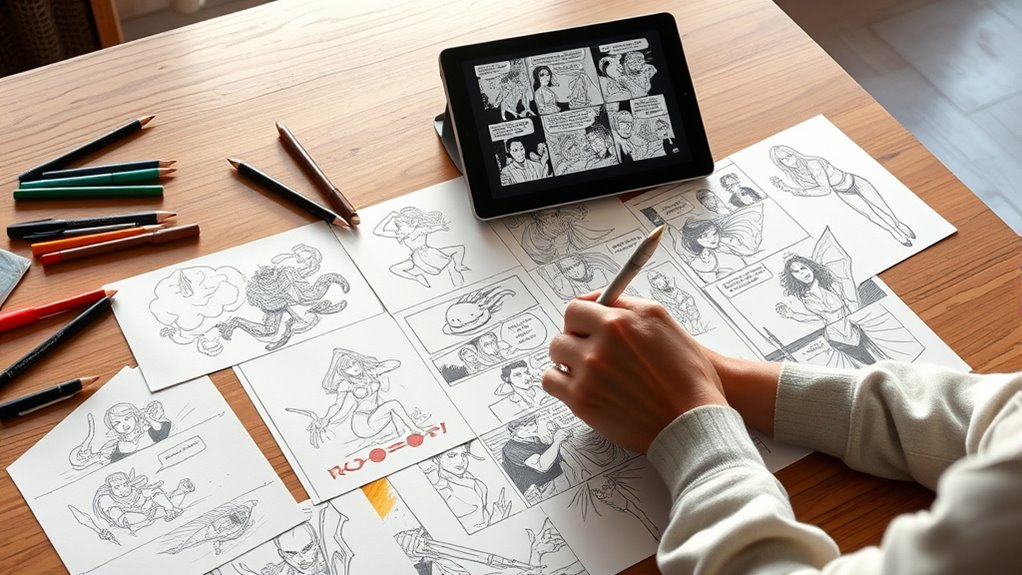

Storyboarding is your key to planning visual narratives effectively. It helps you turn ideas into clear, organized images that map out the flow of your story, guiding every step of production. By focusing on shot composition and scene shifts, you guarantee your story remains cohesive and engaging. As you develop your storyboard, you’ll refine pacing and visual cues to communicate your message. Keep exploring, and you’ll discover how this vital step can elevate your storytelling to a whole new level.
Key Takeaways
- Storyboarding translates narrative ideas into a clear visual sequence, serving as a blueprint for production.
- It maps the viewer’s journey, ensuring cohesive flow and smooth scene transitions throughout the story.
- Shot composition within storyboards communicates emotion, focus, and narrative intent through visual arrangements.
- Developing and refining storyboards involve experimenting with sketches to optimize pacing, tone, and scene clarity.
- Final storyboards guide the creative team, ensuring each shot contributes effectively to the overall storytelling goal.

Have you ever wondered how filmmakers and animators turn their ideas into visual stories? It all begins with storyboarding, a pivotal step that helps translate concepts into a clear, visual plan. The key to a successful storyboard lies in understanding how to create a smooth visual flow. When you sketch out your scenes, you’re fundamentally mapping the journey the viewer will take through the story. This means paying close attention to how each shot connects to the next, guiding the audience seamlessly from one moment to another. A well-planned visual flow ensures that your story unfolds logically, maintaining clarity and engagement. Without it, viewers might feel disoriented or lose interest, so it’s essential to think ahead about how each scene transitions.
Another essential aspect of storyboarding is shot composition. This involves deciding how elements are arranged within each frame to communicate emotion, focus, and narrative intent. When you plan your shots, consider the placement of characters, objects, and background elements. Good shot composition directs the viewer’s eye to the most important parts of the scene, emphasizing mood or action. For instance, a close-up shot might highlight a character’s emotional reaction, while a wide shot establishes the setting. By thoughtfully composing each shot, you create a visual language that supports storytelling, making your narrative more compelling and easier to follow.
As you develop your storyboard, you’ll learn to balance these two concepts—visual flow and shot composition. You might sketch a sequence where a character’s movement is emphasized through dynamic camera angles, or you might arrange scenes to build tension or release it at just the right moment. It’s about visual storytelling techniques that evoke emotion and clarify your message. Using thumbnails or rough sketches, you can experiment with different compositions and transitions, refining how each scene communicates your story’s core. This process allows you to visualize pacing, tone, and spatial relationships before committing to filming or animation.
In the end, storyboarding is about more than just drawing scenes; it’s about planning the visual rhythm of your narrative. By mastering visual flow and shot composition, you gain control over how your story unfolds on screen. You create a blueprint that guides everyone involved—directors, cinematographers, animators—toward a cohesive and captivating final product. When you have a solid storyboard, you’re better equipped to tell your story visually, ensuring that each shot serves a purpose and contributes to a compelling, well-organized narrative. Additionally, understanding the visual storytelling techniques involved helps in effectively conveying your message to your audience.

Storyboard Notebook: 16:9 Industry Standard | 8.5"x11" Matte Black 4-Panel Storyboard Sketchbook for Filmmakers & Animators (Storyboarding)
As an affiliate, we earn on qualifying purchases.
As an affiliate, we earn on qualifying purchases.
Frequently Asked Questions
What Software Tools Are Best for Digital Storyboarding?
You should consider using software like Toon Boom Storyboard Pro, which excels in digital sketching and offers robust collaborative tools for team projects. Frame.io is great for real-time feedback and collaboration, while Canva provides user-friendly digital sketching features for quick storyboards. These tools streamline your workflow, making it easier to visualize and share your narrative ideas effectively. Choose based on your project’s complexity and collaboration needs.
How Detailed Should Each Storyboard Frame Be?
You should aim for a moderate level of detail in each storyboard frame, balancing clarity and efficiency. Focus on capturing the visual complexity necessary to convey key actions, emotions, and camera angles without overloading with unnecessary details. This way, your team understands the scene’s intent clearly. Keep sketches simple but informative, ensuring the visual complexity aligns with the story’s needs, helping everyone stay aligned throughout the production process.
Can Storyboarding Be Effective for Non-Visual Projects?
While storyboarding is rooted in visual storytelling, it can be surprisingly effective for non-visual projects. You can use rough sketches, diagrams, or detailed outlines to clarify ideas, organize steps, and communicate concepts. It’s a versatile tool for project planning, helping you visualize workflows, identify gaps, and make certain all team members understand the project’s scope. Don’t dismiss storyboarding; it adapts well to diverse, non-visual projects.
How Do I Adapt Storyboards for Different Media Formats?
You adapt storyboards for different media formats by customizing your visual style to suit each platform, whether it’s video, print, or digital. Focus on audience engagement by highlighting key moments and pacing accordingly. Use varied shot types, annotations, and color schemes to emphasize tone and mood. Keep your storyboard flexible, ensuring it guides creative decisions across formats while maintaining clarity and consistency in storytelling.
What Are Common Mistakes to Avoid in Storyboarding?
You avoid common storyboarding mistakes like visual inconsistencies that break immersion, and rushed sketches that lack detail and clarity. Imagine your storyboard as a vivid roadmap; if it’s cluttered or inconsistent, it confuses viewers and weakens your story. Take your time, refine each frame, and guarantee visual continuity. This careful approach keeps your narrative seamless, engaging, and emotionally impactful, rather than feeling hurried and disconnected.

National Geographic Photo Basics: The Ultimate Beginner's Guide to Great Photography
As an affiliate, we earn on qualifying purchases.
As an affiliate, we earn on qualifying purchases.
Conclusion
Now that you’ve learned the power of storyboarding, you’ll see how it organizes your ideas, clarifies your vision, and guides your production. It helps you anticipate challenges, communicate clearly, and bring your story to life. Embrace the process, refine your sketches, and stay flexible. With storyboarding, you’re not just planning—you’re creating a roadmap for success, a blueprint for your vision, and a foundation for your storytelling journey. Keep practicing, keep visualizing, and keep telling your story.

Blank Storyboard: 8.5 x 11 Storyboard Panel Notebook – 120 Pages for Filmmaking, Animation, and Video Planning
As an affiliate, we earn on qualifying purchases.
As an affiliate, we earn on qualifying purchases.

JJC 35mm Film Retriever, 135 Leader Film Retriever Picker, 35mm Film Extractor Puller Tools for 35mm Cassettes Safe Films with Lanyard (No Film Included)
【Practicability】: Film leader retriever is designed for 35mm film, with three plastic blades designed to quickly pull out…
As an affiliate, we earn on qualifying purchases.
As an affiliate, we earn on qualifying purchases.