

To protect your work information, always use a secure VPN before accessing company systems, especially on public Wi-Fi. Be cautious of phishing emails that mimic trusted sources—never click suspicious links or open unknown attachments. Keep your device and software updated, enable multi-factor authentication, and follow best practices for cybersecurity. Staying vigilant against these threats is key, and there’s much more you can do to stay safe while working remotely.
Key Takeaways
- Use a reputable VPN and activate it before accessing work systems, especially on public or insecure networks.
- Be vigilant against phishing attempts by verifying sender identities and avoiding suspicious links or attachments.
- Keep all devices, software, and antivirus programs up to date to protect against emerging threats.
- Enable multi-factor authentication on all work-related accounts for added security.
- Regularly review and update security settings, and follow best practices for secure remote work environments.
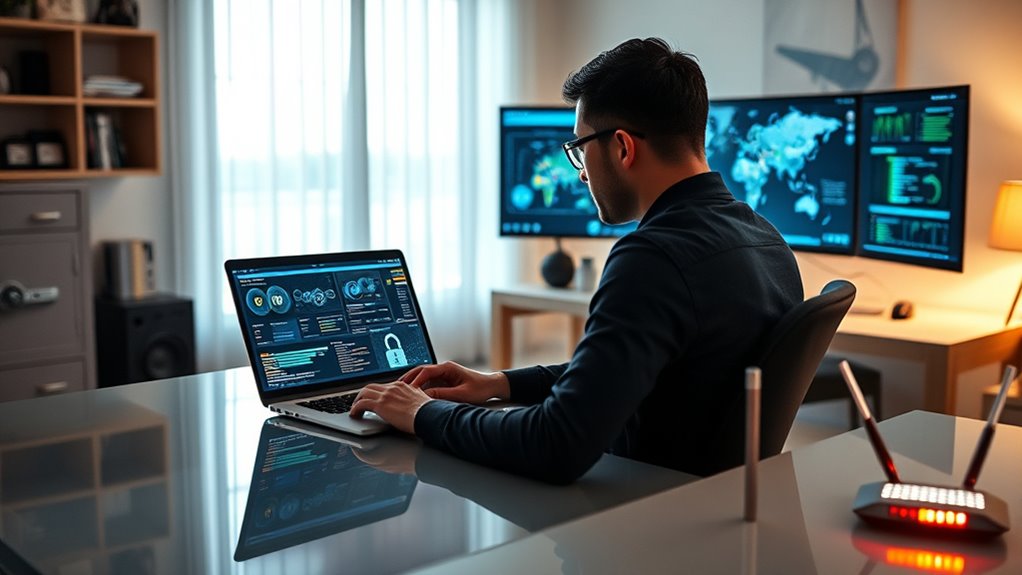
Are you confident your remote work setup is secure? Many remote employees underestimate the risks they face daily, especially when it comes to common cyber threats like phishing attacks. These attacks are designed to deceive you into revealing sensitive information, such as passwords or financial details, often through seemingly legitimate emails or messages. Cybercriminals continuously refine their tactics, making it essential for you to stay vigilant. One of the most effective defenses is using secure VPNs (Virtual Private Networks). Secure VPNs encrypt your internet traffic, creating a protected tunnel between your device and the company’s network. This encryption makes it considerably harder for hackers to intercept or access your data, especially when you’re working on public Wi-Fi networks or less secure connections.
When you’re using a secure VPN, your online activities remain private, and your company’s resources are shielded from potential breaches. It’s important to choose a reputable VPN provider that prioritizes security protocols and maintains strict no-logs policies. Additionally, always activate your VPN before connecting to work-related systems or accessing sensitive information. This simple step adds a critical layer of security that can prevent unauthorized access and data leaks.
Implementing cybersecurity best practices can further strengthen your defenses against evolving threats. However, even the best VPNs won’t protect you if you’re not cautious about phishing attacks. These scams often come through emails that look legitimate—posing as your IT department, a trusted vendor, or even your boss. They may ask you to click a link, download an attachment, or provide login credentials. Never click on links or open attachments from unknown sources, and double-check the sender’s email address for signs of forgery. Always verify requests through a separate communication channel before taking any action.
In addition to using secure VPNs, make sure your devices are equipped with robust security measures. Keep your software, operating system, and antivirus programs up to date. Enable multi-factor authentication wherever possible, adding an extra barrier against unauthorized access. Be cautious with public Wi-Fi, and avoid accessing sensitive information unless you’re connected through your VPN.
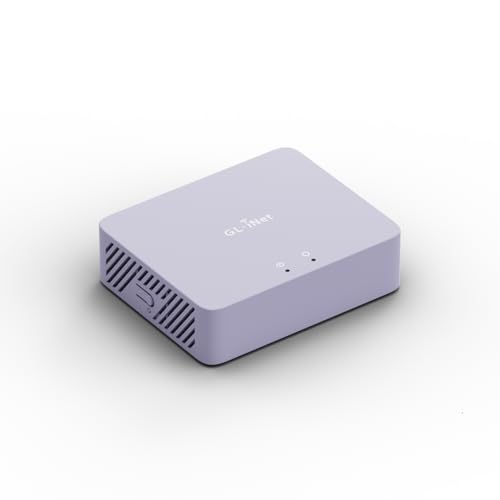
GL.iNet MT5000 (Brume 3) High-Speed Wired VPN Security Gateway for Home Office and Remote Work – Up to 1100 Mbps, 3× 2.5G Multi-WAN, DPI Security, VPN Obfuscation, OpenWrt, NO Wi-Fi
- High-Speed VPN: Up to 1100 Mbps VPN throughput
- Multi-Gigabit Ports: Three 2.5G Ethernet ports
- Multi-WAN Support: Dual-ISP and failover capability
As an affiliate, we earn on qualifying purchases.
As an affiliate, we earn on qualifying purchases.
Frequently Asked Questions
How Can Remote Employees Detect Phishing Attempts Effectively?
To detect phishing attempts, you should scrutinize email scams closely. Always check for suspicious links by hovering over them to see the actual URL, which can reveal deceitful redirects. Be wary of urgent language or unexpected requests for personal info. Trust your instincts—if something feels off, don’t click. Verifying the sender’s email address and using security tools can also help you spot and avoid phishing traps effectively.
What Are the Best Tools for Securing Home Wi-Fi Networks?
You can’t just rely on your grandma’s Wi-Fi password to keep hackers out. Use a router with strong wifi encryption like WPA3, and enable its firewall feature—think of it as your digital biefence. Regularly update your router’s firmware, change default passwords, and disable remote management. These tools and habits transform your home network from a sitting duck into Fort Knox, ensuring your data stays safe and sound.
How Often Should Remote Employees Update Their Passwords?
You should update your passwords regularly, ideally every three to six months, to maintain strong security. Follow your company’s security policies by renewing your passwords consistently and avoiding reuse. Regular password renewal helps prevent unauthorized access and keeps your accounts secure. Make sure to use complex, unique passwords for different accounts, and change them promptly if you suspect any compromise. Staying proactive with password updates is key to protecting your remote work environment.
What Are Common Signs of a Cybersecurity Breach?
Sudden system slowness, strange emails, or unauthorized account access signal a cybersecurity breach. You might notice network vulnerabilities or insider threats, like unexpected data downloads or password changes. Keep an eye out for bizarre pop-ups, unexplained device activity, or login attempts from unfamiliar locations. These signs indicate that your security’s been compromised, so act swiftly—change passwords, run security scans, and notify your IT team to contain the threat.
How Can Companies Monitor Remote Employees’ Cybersecurity Compliance?
You can monitor remote employees’ cybersecurity compliance by implementing regular compliance audits and ensuring ongoing employee training. Use secure monitoring tools to track access and activity without infringing on privacy, and review logs for suspicious behavior. Conduct periodic training sessions so employees stay updated on best practices. These steps help you identify gaps and reinforce security protocols, maintaining a strong cybersecurity posture across your remote team.

Yubico – YubiKey 5C NFC – Multi-Factor authentication (MFA) Security Key and passkey, Connect via USB-C or NFC, FIDO Certified – Protect Your Online Accounts
- Security Type: Multi-Factor Authentication (MFA)
- Compatibility: Works with 1000+ accounts
- Connection Options: USB-C and NFC
As an affiliate, we earn on qualifying purchases.
As an affiliate, we earn on qualifying purchases.
Conclusion
As a remote employee, your cybersecurity habits are vital—over 70% of cyberattacks target small businesses and remote workers. By staying vigilant, using strong passwords, and keeping software updated, you can protect both your work and personal data. Remember, cybersecurity isn’t just IT’s job; it’s everyone’s responsibility. Stay aware, stay safe, and make security a daily habit. Your proactive efforts can make all the difference in preventing costly breaches.

McAfee Total Protection 5-Device | AntiVirus Software 2026 for Windows PC & Mac, AI Scam Detection, VPN, Password Manager, Identity Monitoring | 1-Year Subscription with Auto-Renewal | Download
- Device Security: Protects multiple devices with real-time threat detection
- Scam Detection: Automatically identifies risky texts, emails, and videos
- Secure VPN: Private, unlimited VPN for safe browsing
As an affiliate, we earn on qualifying purchases.
As an affiliate, we earn on qualifying purchases.

Rolling Square Edge Pro Tablet Kit – Mount and Phone Magnetic Holder, Smartworking & Productivity Stand Accessory, Compatible with MagSafe, Compatible with Any Tablet or Phone, Black
- Secure Magnetic Attachment: Strong magnet with optional metal plate
- Standalone or Mounted Use: Flexible mounting without adhesive
- Supports Devices Up to 600g: Handles devices up to 600g with stability
As an affiliate, we earn on qualifying purchases.
As an affiliate, we earn on qualifying purchases.